Details
-
Bug
-
Status: Closed (View Workflow)
-
 Major
Major
-
Resolution: Fixed
-
N/A
-
None
-
CentOS 6.7 (on vagrant@local environment)
Description
$ curl -v https://yum.mariadb.org/RPM-GPG-KEY-MariaDB |
* About to connect() to yum.mariadb.org port 443 (#0) |
* Trying 192.99.47.208... connected |
* Connected to yum.mariadb.org (192.99.47.208) port 443 (#0) |
* Initializing NSS with certpath: sql:/etc/pki/nssdb
|
* CAfile: /etc/pki/tls/certs/ca-bundle.crt
|
CApath: none
|
* Remote Certificate has expired.
|
* NSS error -8181 |
* Closing connection #0 |
* Peer certificate cannot be authenticated with known CA certificates
|
curl: (60) Peer certificate cannot be authenticated with known CA certificates |
More details here: http://curl.haxx.se/docs/sslcerts.html |
|
|
curl performs SSL certificate verification by default, using a "bundle" |
of Certificate Authority (CA) public keys (CA certs). If the default |
bundle file isn't adequate, you can specify an alternate file
|
using the --cacert option.
|
If this HTTPS server uses a certificate signed by a CA represented in |
the bundle, the certificate verification probably failed due to a
|
problem with the certificate (it might be expired, or the name might
|
not match the domain name in the URL).
|
If you'd like to turn off curl's verification of the certificate, use |
the -k (or --insecure) option.
|
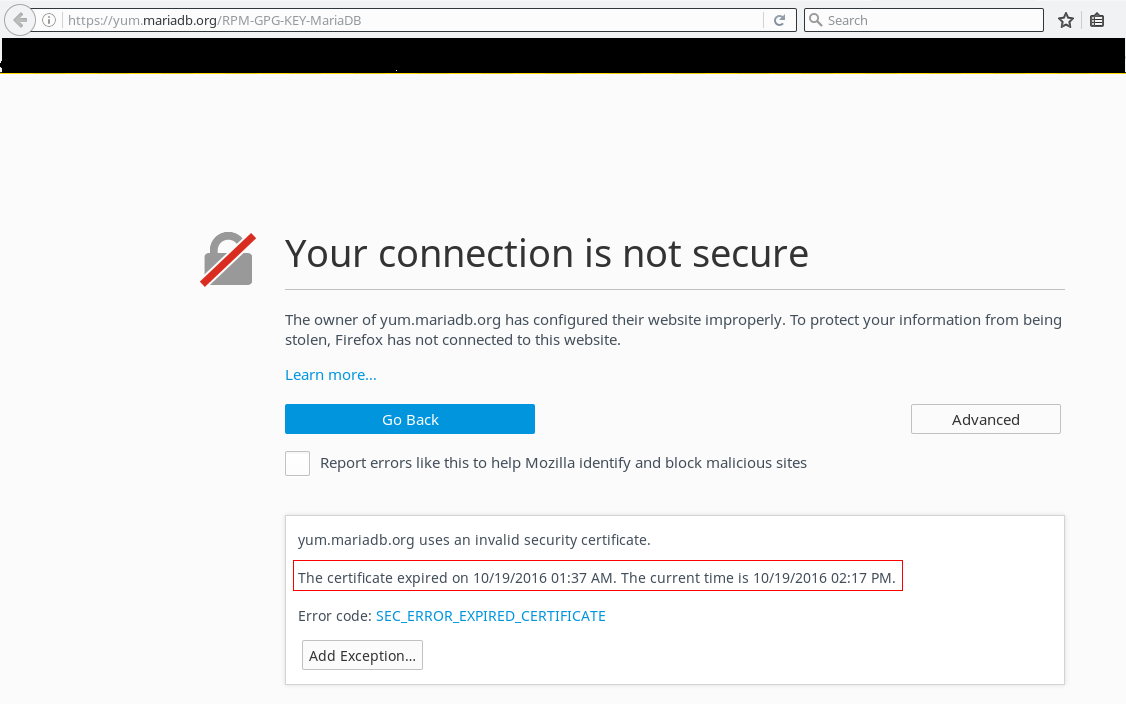
Looks like SSL certificate at "yum.mariadb.org" has expired. The above snippet is from the CentOS 6.7 box itself and the attachment confirms it as it is from Arch Linux host which is up to date.